If you’ve been running a CNC mill long enough, you’ve probably hit that frustrating moment mid-cut: one second you’re following a perfect toolpath for a prototype part, and the next, the machine’s axes are off. Your X-axis has lost a few steps, so your slot is too wide, or your Y-axis shifted, making a wall uneven. As a CNC mill supplier who’s helped hundreds of shops troubleshoot this exact issue over the years, I can tell you it’s not just your machine—stepper and servo step loss is one of the most common, and most fixable, problems in CNC milling. Let’s break down why it happens, and what you can do to get your machine back on track fast. CNC Milling Machine
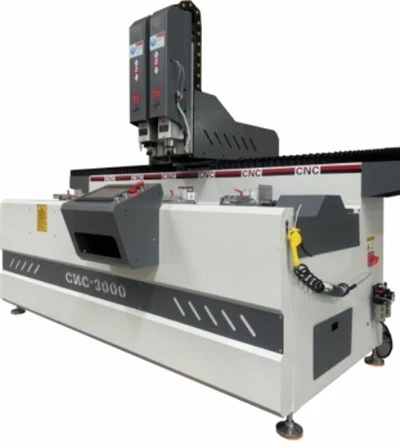
First, let’s clarify what “losing steps” actually means. CNC mills rely on precise, motorized movements: every step the motor turns should translate to a fixed distance along an axis, right? For stepper motors, that’s typically 1.8 degrees per full step, so you get 200 steps per full rotation. For servos, it’s a similar digital precision, backed by an encoder that confirms the movement happened. Losing steps is when that expected movement doesn’t match what the controller thinks it did—so your part’s dimensions are off, surface finishes are rough, and sometimes the machine even makes a weird skipping noise mid-cut.
I see this most often with new operators, or shops that just moved their mill to a new space. Let’s start with the easy, most common culprits: electrical and power supply issues. Your CNC mill’s motors draw a lot of current, especially during heavy cuts. If your shop has a flaky power outlet, or your mill’s power supply can’t keep up with the motor’s demand, that’s a quick way to lose steps. A lot of people overlook voltage drops—if your mill’s on the same circuit as a 3D printer, a coolant pump, and a welding machine, those devices siphon power when they turn on, and your CNC motor doesn’t get enough juice to hit the full step. I had a customer last month who swore his new mill was defective; we showed up and measured his outlet at 105V instead of the required 120V (he’d had a bad wiring job in his garage). He swapped to a dedicated 120V circuit just for the mill, and the step loss stopped cold.
Another power-related issue: loose wiring. Vibration from the mill’s moving axes can shake loose motor cables, encoder connections, or even the wires that connect to the controller board. I’ve seen a pin come loose from a stepper motor’s power cable just because the machine ran for 12 hours straight cutting aluminum. The loose connection means the motor isn’t getting consistent current, so it can’t complete every step—hence skipping, hence lost steps. Quick check: turn off the machine, unplug it, and wiggle every cable along the axis drives, controller, and motors. If a cable moves more than it should, tighten the terminals or swap the cable if it’s frayed.
Next, mechanical problems—this is where it gets a bit more hands-on, and where even well-maintained mills can slip up. Let’s talk about belts and pulleys first, which are super common on entry-level to mid-range CNC mills. If your mill uses a belt drive to connect the motor to the lead screw, a loose or worn belt will slip instead of turning the lead screw exactly the right amount. Over time, belts stretch, or the set screw that holds the pulley to the lead screw works loose. I had another customer who was losing 2-3 steps every time he moved his Y-axis; we found his timing belt was stretched so bad it had 10mm of slack. Tensioning the belt properly fixed his issue in 10 minutes. For servo-driven mills, the encoder belt on the motor side can have the same problem—if that slips, the encoder can’t confirm the motor’s position, so the controller thinks it’s getting steps it’s not.
Then there are lead screws and ball screws, the heart of the mill’s linear movement. These are precision parts, but they’re not indestructible. If your lead screw has debris built up (metal shavings, coolant, dust) between it and the nut, that creates friction, so the motor has to work harder to turn the screw. If the load is too high—say, you’re cutting 1-inch thick steel with a 1/2-inch end mill, which puts a lot of force on the axis—the motor can’t overcome that extra friction and skips steps. Even lubrication matters: if you’re using the wrong grease or oil on the lead screw, or you haven’t lubricated it in months, friction goes up, and step loss follows. I always tell my customers to lubricate their lead screws every 50 operating hours, or after a heavy steel cut. Another lead screw issue: backlash. Wait, is backlash the same as losing steps? Sort of, but it’s related. Backlash is the gap between the lead screw and nut—when you reverse direction, the nut has to move that gap before the axis moves, so the controller counts steps but the mill doesn’t move. That feels like step loss, especially on small movements like peck drilling, so it’s worth checking. To test backlash, move an axis a small distance one way, then reverse it; if the machine moves more than it should before correcting, you have backlash, and tightening the lead screw nut can fix it.
Now, motor and driver issues. Stepper motors have a maximum torque rating—if the load on the axis exceeds that torque, the motor will skip steps. That’s called “torque overload,” and it’s a super common mistake for operators who push their mill too hard. For example, an entry-level mill with a Nema 23 stepper can handle light aluminum cuts, but if you try to cut 1-inch steel with a 1/4-inch end mill, the torque demand is way higher than the motor can provide, so it skips steps. I see this all the time with first-time CNC operators; they crank the feed rate and spindle speed way too high, not realizing their machine’s spec limits. Servo motors are less prone to this, because they use encoders to adjust for position, but if your servo driver is calibrated wrong, it can still lose steps—especially if the calibration is off after you moved the motor or replaced a driver.
Another motor-related issue: current tuning. Both stepper and servo drivers need to be set to the right current for your motor. If the driver is set to too low a current, the motor won’t have enough power to turn the lead screw, especially during heavy cuts. If it’s set too high, you’ll burn out the motor faster, but more immediately, it can cause overheating that makes the motor’s performance drop. A lot of newer mills have auto-tuning, but if you modified your mill (swapped motors or drivers) or moved the controller, you might need to re-tune the driver. I always advise customers to check their driver’s current setting against the motor’s spec sheet—most stepper motors have a label on the side with the required current, so just match that on the driver.
Finally, controller and firmware issues. Sometimes the problem isn’t hardware at all—it’s a software setting. If you messed up your step pulse settings in the controller firmware, that means the controller is sending the wrong number of pulses per mm (or per inch) to the motor. For example, if your lead screw has 10 turns per inch, and your firmware is set to 8 pulses per mm instead of 10, the motor will move less than it should, leading to lost steps. Or if you changed your axis scaling after adjusting the lead screw or belt, that can throw off the step count. I had a customer who updated his firmware to a new version, and the default step pulse setting was wrong for his mill—he had to adjust the settings back to match his machine’s specs, and the step loss stopped. Another firmware issue: if your controller is overloaded, running too many programs at once, it might miss a pulse here and there. Make sure your controller’s firmware is up to date, and if you’re using a third-party controller, check that it’s compatible with your mill’s hardware.
Now, let’s talk about how to diagnose the issue, step by step. Start with the easiest checks first, because 90% of the time, step loss is a simple fix:
- Test the power: Verify your mill is on a dedicated circuit, measure voltage with a multimeter, and check for loose wires.
- Check belts and pulleys: Look for slack, worn teeth, or loose set screws.
- Inspect lead screws: Wipe away debris, check lubrication, and test backlash by reversing direction.
- Check motor torque: Make sure you’re not exceeding your machine’s recommended cut parameters—slow down feed rate or spindle speed to see if the issue goes away.
- Verify firmware and drivers: Confirm step pulse settings, driver current, and firmware version are correct.
If you’ve gone through these steps and you’re still losing steps, it might be time to check for more serious issues—like a faulty motor, encoder, or lead screw nut. That’s where a manufacturer’s support team comes in, and as a CNC mill supplier, that’s exactly what we’re here for.
At the end of the day, losing steps doesn’t mean your CNC mill is broken. It’s a sign that one small part of the system is out of sync, and with a little troubleshooting, you can get your machine running like new. If you’re still dealing with persistent step loss, or you’re in the market for a new CNC mill that’s built with precision to minimize step issues, don’t hesitate to reach out for a consultation. We can help you troubleshoot your current machine, or find the right mill that fits your shop’s needs, so you can get back to producing perfect parts.
Before I wrap up, let’s make sure we didn’t miss any key points: step loss is often caused by power, mechanical, motor, or firmware issues, not a defective machine. Always start with the simplest checks first, and never push your mill beyond its torque and speed limits. A well-maintained mill with proper calibration will rarely have step issues, but when it does, it’s almost always fixable.
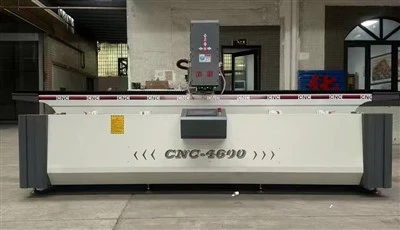
If you’re ready to resolve your CNC mill’s step loss issues, or you’re looking to upgrade to a machine built for consistent, accurate cuts, contact our team to discuss your needs and find the perfect solution for your shop.
Dual Head Aluminium Cutter References
- Oberg, E., Jones, F. D., Horton, H. L., & Ryffel, H. H. (2020). Machinery’s Handbook (31st ed.). Industrial Press Inc.
- Stephenson, D. A., & Agapiou, J. S. (2016). Metal Cutting Theory and Practice (2nd ed.). CRC Press.
- CNC Cookbook. (2022). Stepper Motor and Driver Troubleshooting Guide. Retrieved from relevant industry technical resources.
- Fanuc Corporation. (2021). CNC Servo Motor Calibration and Maintenance Manual. Fanuc America Corporation.
- Haas Automation Inc. (2023). CNC Mill Operation and Troubleshooting Guide. Haas Automation, Inc.
Kanghong Building Materials Technology Sdn. Bhd.
As one of the most professional CNC milling machine manufacturers and suppliers in China, we have world-leading production equipment and strong manufacturing capabilities. Please feel free to wholesale advanced CNC milling machine for sale here from our factory. Customized orders are welcome.
Address: No.601, Block 2, Xinlianchang Industrial Park, No.2 Taixing Second Road, Taiping South Industrial Zone, Dali Town, Nanhai District, Foshan City
E-mail: 631871392@qq.com
WebSite: https://www.kanghong-building.com/
