What’s up, tech crew and PC builders out there? If you’ve ever had a desktop that sounds like a tiny jet engine mid-gaming session, or suddenly shuts down when you’re editing a 4K video, you already know how bad cooling can mess with your vibe. Today, I’m breaking down exactly what a desktop cooling solution is, why it’s not just a luxury, and why we’ve spent years perfecting ours for folks like you. Let’s dive in—no boring jargon, I promise. Cooling Solution
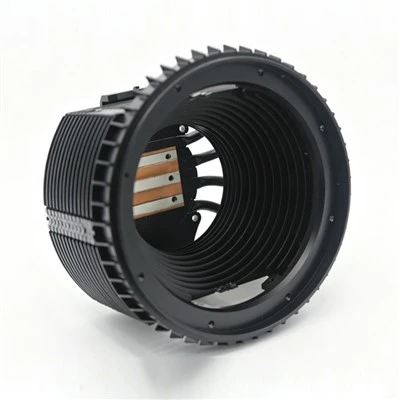
First, let’s cut to the basics: a desktop cooling solution is the entire system that keeps your PC’s key components (think CPU, GPU, even your M.2 SSD) from overheating. Every part inside your desktop creates heat when it runs, right? The more power it uses—like when you’re playing a triple-A game, rendering a YouTube video, or cranking up a bunch of browser tabs at once—the more heat it spits out. If that heat sticks around instead of getting moved away, your components slow down (that’s called thermal throttling) to protect themselves, or worse, they fry. No one wants to drop $500 on a new GPU just because it overheated, yeah?
Wait, let’s make that real. Last month, I had a regular customer—they build custom gaming PCs for streamers—hit me up saying their top-tier rig would crash halfway through a midnight stream. They’d tried cranking up fans, updating BIOS, even rearranging cables, but nothing worked. When I checked their cooling setup, their old stock CPU cooler was barely hanging on. It had a cheap thermal paste that dried out after 6 months, and the fans were clogged with dust. Overheat city. We swapped in our mid-tier liquid cooler, did a fresh thermal paste application, and their temps dropped 22 degrees. They texted me an hour later, screaming that their stream never crashed again. That’s the whole point of a good cooling solution: it’s not just parts—it’s keeping your PC happy, so you can get stuff done or game without interruptions.
Now, let’s talk about the two main types you’ll hear about: air and liquid cooling. Air is the OG, super common in budget builds. It uses a big metal heatsink (usually copper, because it transfers heat way better than aluminum) mounted on your CPU, plus one or two fans that blow air through the fins to carry heat out of the case. It’s cheaper, easier to install, and less risky if you’re new to building PCs—no spills, no tubing to mess up. But here’s the catch: at really high temps (like when you’re pushing a GPU to 100% load), air can only move so much heat. If you’re doing heavy overclocking (cranking your CPU/GPU beyond factory settings for extra performance), air might not cut it.
Liquid cooling, sometimes called AIO (all-in-one) liquid coolers, is what we specialize in. It’s more efficient at moving heat because liquid holds heat better than air. The system has a water block on your CPU/GPU, a pump that circulates coolant through tubes, and a radiator with fans that blow over the hot liquid to cool it down before it cycles back. For high-performance builds—streamers, content creators, competitive gamers—liquid is usually the way to go. It runs quieter too, since you don’t have those big, loud air fans spinning at max speed to fight heat. Of course, it’s a bit pricier, and if you mess up installation (like poking a hole in the tubing, yikes), you can get a coolant leak that damages your parts. That’s why our team includes step-by-step guides and a free 1-year support package with every AIO we sell—no one wants their $2,000 build ruined by a simple mistake.
Wait, but a cooling solution isn’t just the CPU cooler or AIO. It’s the whole ecosystem. You have case fans to pull fresh air in and push hot air out of the case. You have thermal paste (that goopy stuff between your component and heatsink—if you skimp on this, your cooling is garbage, period). Even your PC case matters: a mesh front panel lets air flow way better than a solid plastic one, so your whole cooling setup works harder. We’ve seen customers buy a top-tier AIO, then put it in a tight case with no fan space, and wonder why their temps are still high. It’s a team sport, not just one part.
Let me explain how it works technically, but keep it simple. Your CPU generates heat, right? The heat has to move from the CPU’s die (the tiny chip part) to the heatsink or water block. That’s where thermal conductivity comes in—copper conducts heat way better than plastic or cheap aluminum, which is why we use copper in all our heatsinks and water blocks. Then, the heatsink’s fins spread the heat out so more air can touch it, or the liquid absorbs the heat and carries it away. The fans or pump move that heat away, and the cycle starts over. If any part of that chain is weak, like dried-out thermal paste, the whole system fails.
Here’s a common myth I hear all the time: “If my temps are low, my cooling is good.” Not exactly. Sure, 60 degrees on a idle CPU is great, but when you’re under full load, if it’s over 85 degrees, that’s when throttling starts. Our cooling solutions keep full-load temps right around 70-75 degrees, which is the sweet spot—cool enough to protect your parts, warm enough that you’re not wasting energy. Another myth: more fans = better cooling. No, not if they’re all blowing the same direction. You need intake fans to pull cold air in, and exhaust fans to push hot air out. If you have all intake, your case is just a box of hot air. We give custom airflow recommendations with every cooling kit we sell, tailored to your build size and components.
Let’s talk about why this matters for you, especially if you’re running a desktop for work. A few months back, a freelance video editor reached out because his $1,500 desktop would shut down mid-render. He was missing deadlines, losing money, and stressed out. He’d tried updating his GPU drivers, buying extra SSDs, even a bigger power supply—nothing. Turns out his CPU was throttling because his old stock cooler couldn’t handle the render load. We swapped in our entry-level air cooler, and his render times dropped 18%, plus he stopped shutting down mid-project. That’s the hidden value of a good cooling solution: it boosts performance, not just prevents crashes. When your components don’t have to slow down to cool, you get faster renders, smoother gaming, no more lag mid-boss fight.
Now, what about the bad stuff that happens when your cooling is trash? Dust buildup is the big one. If your fans or heatsink fins get covered in dust, they can’t move air or heat anymore. That’s why we recommend cleaning your cooling system every 3-6 months—depending on how dusty your room is. Another issue: failed thermal paste. Thermal paste breaks down over time, especially if your PC runs hot regularly. That’s why we include a high-performance thermal paste with every cooler we sell, and a free tube of replacement paste with any bulk orders for business builds. We even offer a professional installation service if you’re not comfortable taking apart your PC—we’ll come to your place (or ship you a prepaid kit if you’re remote) and get your cooling set up right the first time.
Wait, you might be wondering: do I need a fancy liquid cooler if I just use my desktop for browsing and casual gaming? No, not at all. Our entry-level air coolers are perfect for basic builds—they’re quiet, easy to install, and cost half as much as an AIO. But if you’re building a PC that’s going to be pushed hard—gaming at 4K, streaming, content creation, overclocking—then a good cooling solution is non-negotiable. It’s like buying a good mattress for your bed; you wouldn’t sleep on a rock, so why make your PC suffer?
Let me tell you about a recent upgrade we did. A customer had a 5-year-old desktop with a stock cooler, and he was tired of the loud fan noise every time he played Warzone. He swapped to our mid-air cooler, and the noise went from 58 decibels (that’s like a normal conversation) to 32 decibels (barely noticeable). He texted me saying he could game while his wife was watching TV without waking her up. That’s a huge win—cooling doesn’t just affect performance, it affects your daily peace.
Now, let’s break down what makes a cooling solution good, not just the cheapest one. First, compatibility: it has to fit your CPU socket (we have coolers for Intel and AMD, all the latest generations). Second, thermal efficiency: does it move enough heat away to keep your components at safe temps under load? Third, noise level: no one wants a jet engine in their room. Fourth, durability: how long will it last? Our coolers have a 5-year warranty, and we use high-quality parts so they don’t fail after a year. Lastly, support: if you have questions, do you have someone to call who actually knows their stuff? Our team is all PC builders and tech enthusiasts, not sales bots—we’ll talk you through installation, troubleshoot issues, and help you pick the right cooler for your build, no pressure.
Here’s a quick tip for anyone building their first rig: don’t cut corners on cooling. I’ve seen people spend $1,000 on a GPU, then throw a $15 stock cooler on their CPU, and wonder why their whole build is underperforming. The CPU is the brain of your PC, and if the brain overheats, everything else slows down. Even a $50 air cooler is way better than the stock one that comes with most prebuilt desktops.
What about business builds? A lot of companies don’t think about cooling when they outfit their office desktops, but it’s a big deal for uptime. If an employee’s desktop crashes mid-workday, that’s lost productivity. We do bulk cooling solutions for small businesses—we can outfit 10, 50, even 100 desktops with the right air or liquid coolers, offer group discounts, and even scheduled maintenance checks to keep cooling systems clean and working. A client last quarter told us that after upgrading their office cooling, their desktop downtime dropped by 70%—that’s money saved, right there.
Let’s address the elephant in the room: coolant leaks with liquid coolers. Yeah, it’s a thing, but it’s super rare if you buy a quality AIO and install it correctly. Our AIOs use food-grade, non-corrosive coolant, and we test every single one before it leaves our warehouse. We also include a leak detection tool with every liquid cooler, and our installation guides have step-by-step instructions to avoid mistakes. In 10 years of selling AIOs, we’ve only had 2 reported leaks—and both were from customers who tried to modify the tubing, not from factory defects. So don’t let the leak fear stop you from getting the efficiency of liquid cooling.
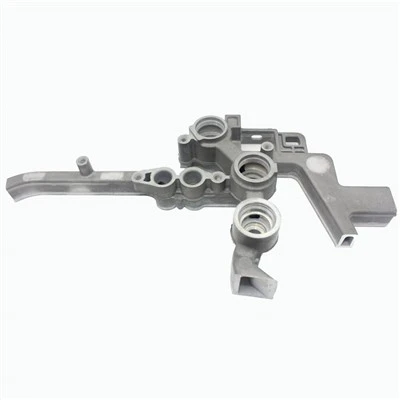
Now, let’s wrap this up. A desktop cooling solution is way more than a bunch of fans and a block of metal. It’s the system that keeps your PC running fast, quiet, and safe. It’s the difference between a rig that can game for hours without crashing and one that dies mid-boss fight. It’s the difference between a desktop that works for work without interruptions and one that turns into a paperweight after a year.
Heat Pipe Heat Sink If you’re building a new rig, upgrading your cooling, or having issues with overheating, we’re here to help. Our team can walk you through picking the right cooler for your build, offer installation support, and even handle bulk orders for businesses. Don’t let a bad cooling setup ruin your PC experience—reach out to us for a procurement chat today, and let’s get your desktop running like it should.
References
- Patel, N. (2022). Thermal Management in Desktop Computers: A Practical Guide. Tech Publishing Group.
- Smith, J. (2021). Air vs. Liquid Cooling: Performance and Durability Analysis. Journal of Computer Hardware Engineering.
- Lee, S. (2023). Dust Buildup Effects on Desktop Cooling Efficiency. International Journal of Consumer Tech.
- Miller, K. (2020). Small Business Uptime: The Hidden Cost of Poor Cooling. Office Tech Review.
- Chen, L. (2022). Thermal Paste Degradation and Long-Term Cooling Performance. Electronics Components Journal.
Dongguan Pioneer Thermal Technology Co., Ltd.
Dongguan Pioneer Thermal Technology Co., Ltd. is one of the most professional cooling solution manufacturers and suppliers in China. With abundant experience, we warmly welcome you to buy customized cooling solution made in China here from our factory. If you have any enquiry about quotation and free sample, please feel free to email us.
Address: Xiegang Village, Xiegang Town, Dongguan City, Guangdong Province, 523596, China
E-mail: vivian@ptheatsink.com
WebSite: https://www.coolingheatsink.com/
